FTP Server3.0
Publisher Description
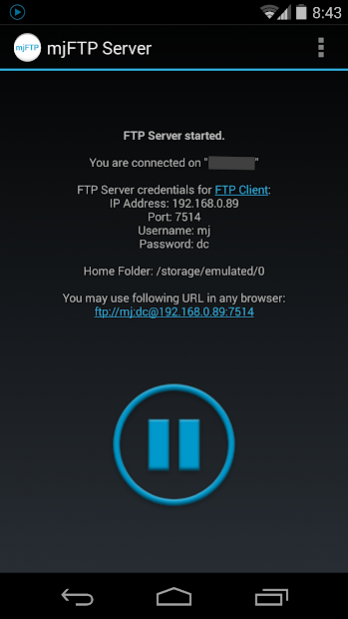
mjFTP Server is a fast & easy to use FTP Server.
Connect via Wifi to your Android Smartphone or Tablet to upload / download files. Backup Photos, Music, Movies, etc. to your PC.
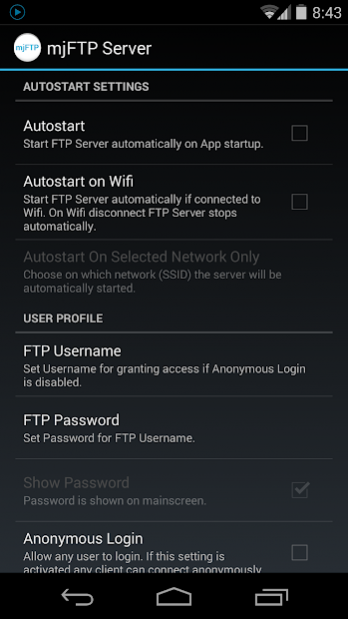
It can run fully automated in the background. If Wifi gets connected / disconnected FTP Server starts / stops automatically (goto Settings to activate this feature).
All you need is a FTP Client (e.g. FileZilla or FTPbox) on your PC.
There is a great tutorial on the FileZilla website on how to use a FTP Client:
https://wiki.filezilla-project.org/FileZilla_Client_Tutorial_(en)
Alternatively a web browser can be used for searching and downloading files.
Features:
- Enable / Disable FTP Server automatically if Wifi gets connected or disconnected
- Restrict access by using a FTP user
- Anonymous login
- Autostart FTP Server on App start
- Custom home folder
Needed Permissions:
WRITE_EXTERNAL_STORAGE
Allows to write uploaded files to SD Card.
INTERNET
Allows to open network connections to FTP Clients.
ACCESS_NETWORK_STATE
That permission is required to determine if network connectivity is available.
ACCESS_WIFI_STATE
Needed in order to activate FTP Server automatically.
WAKE_LOCK
Keeps phone screen on while server is running. If screen turns off FTP Server can fail (depends on device).
Tags: mjFTP FTP Server ftp server ftp client share backup copy file files music movies images photos pictures wifi web sharing files transfer connect wireless tablet phone smartphone
About FTP Server
The company that develops FTP Server is mjw software. The latest version released by its developer is 3.0. This app was rated by 1 users of our site and has an average rating of 5.0.
To install FTP Server on your Android device, just click the green Continue To App button above to start the installation process. The app is listed on our website since 2017-08-23 and was downloaded 111 times. We have already checked if the download link is safe, however for your own protection we recommend that you scan the downloaded app with your antivirus. Your antivirus may detect the FTP Server as malware as malware if the download link to com.mjw.mjftpserver is broken.
How to install FTP Server on your Android device:
- Click on the Continue To App button on our website. This will redirect you to Google Play.
- Once the FTP Server is shown in the Google Play listing of your Android device, you can start its download and installation. Tap on the Install button located below the search bar and to the right of the app icon.
- A pop-up window with the permissions required by FTP Server will be shown. Click on Accept to continue the process.
- FTP Server will be downloaded onto your device, displaying a progress. Once the download completes, the installation will start and you'll get a notification after the installation is finished.
Program Details
System requirements
Download information
Pricing
Version History
version 3.0
posted on 2017-08-23
- Minor bug fixes
version 2.2
posted on 2014-02-06
February 06, 2014 (Version 2.2):,- Minor bug fixes,- Replaced icon set
version 2.0
posted on 2013-07-03
Several fixes and updates
